
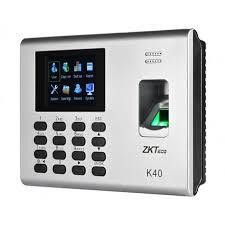
This content is about the user manual of ZKT K40/K14 digital attendance system.
View Report of that Staff

Setting IP Address
- Press M/OK button for 2-3 seconds
- Press on System
- Press on
- Put Ip address according to your Network
- If you do not know your network ip then make DHCP ON
- Press on M/Ok button and restart the Device
- If Ip is shown, then make DHCP Off and click on M/OK, if the Ip is 0.0.0.0 then check your network.
- Press M/OK button to Save the Data
 Download Attendance Logs in Pendrive
Put USB pendrive in the device not more than 8 GB
Press M/Ok Button for few Seconds
Press Data Mgt.
Press Download AttLog
Then messege will be displayed successfully download, unplug Pendrive from device click on M/OK
Similarly from here we can delete the Att log, delete all data, clear admin, here is the photo
